Gilisoft Video Converter

The Easiest Video Converter, More Formats, More Devices, 100% Lossless Quality.


Windows 2000/XP/7/10/11 (32 bits &64 bits)

Download TrialVersion: 11.0BUY NOW$39.95 $49.95

Video Converter for Windows

GiliSoft Video Converter supports 160+ video formats and helps you convert, compress, and prepare media for web, mobile, and device playback. It also includes practical editing functions such as trim, merge, rotate, crop, subtitle, watermark, and effects, so you can complete conversion and basic post-processing in one workflow.
The Classic Edition is focused on broad format compatibility and daily conversion tasks. We also provide a Discovery Edition with additional advanced capabilities. Once purchased one version, you get access to TWO versions. To learn more, visit GiliSoft Video Converter Discovery Edition. For Mac users, go to GiliSoft Video Converter for Mac.

Exclusive Features of GiliSoft Video Converter

Convert Almost All Video Files

Import and convert most mainstream video formats from cameras, screen recordings, downloaded media, and legacy sources without extra codecs. Supported input includes 3GP/3G2, ASF, AVI, FLV, M2TS, MOV, MP4/M4V, MPEG/MPG/DAT, MKV, MXF, RM/RMVB, TS, VOB, WMV, and QLV.


Convert to Various Video Formats

Convert videos to popular output formats including H.264, H.265 (HEVC), MP4, MKV, AVI, FLV, WMV, 3GP, and 4K profiles for modern playback scenarios. Built-in presets help optimize exports for mobile devices, TV playback, and common media players.

Convert to Various Audio Formats

Extract and convert audio tracks from video to formats such as MP3, M4A, WMA, WAV, AC3, and DTS. Useful for podcasts, voice tracks, soundtrack reuse, and lightweight audio delivery.

Support Various Devices

Includes multiple conversion profiles for popular devices and playback targets, including iPhone, iPad, Android phones, Apple TV, game consoles, and portable media players. Profiles are designed to reduce manual parameter tuning.

GPU Acceleration Transcoding

Convert video with strong quality and fast speed. GiliSoft Video Converter provides hardware-accelerated H.264 encoding and NVIDIA CUDA/NVENC acceleration for faster transcoding on supported systems.

Convert Flash SWF to Any Video

Convert legacy SWF content to modern video or audio formats for archive, migration, and playback compatibility on current platforms.

HTML5 Video Converter

Convert videos to HTML5-friendly formats such as OGG, H.264, and WEBM, making it easier to publish and stream media in browser-based environments.

4K Video Converter

Handle 4K conversion workflows by converting standard video to 4K profiles or transcoding existing 4K files to WMV, MOV, AVI, and other delivery formats.

Merge Files and Trim Video

Join multiple clips into one file and trim specific segments to remove ads, intros, or unwanted sections. Ideal for preparing cleaner deliverables without opening a separate editor.

Edit, Enhance, and Personalize Videos

Adjust speed, brightness, saturation, contrast, grayscale, aspect ratio, and volume. You can also crop and rotate video, apply picture-in-picture, add watermarks, attach subtitles, and use visual effects for branded output.

Batch Conversion Workflow

Queue multiple files in one run and apply consistent conversion settings across projects to speed up routine publishing and archive tasks.

Quality-Stable Encoding

Maintain predictable visual quality across common output formats while reducing rework from repeated manual parameter adjustments.

Customer Testimonials

We convert camera footage to MP4 daily, and the output stays consistent across our web player, mobile app, and internal archive systems.

- Olivia M., Media Operations Lead

Batch conversion and device presets saved us a lot of manual setting time when preparing videos for iOS, Android, and TV playback.

- Kevin T., Systems Administrator

GPU acceleration noticeably reduced processing time for long training videos, especially when exporting multiple files in one queue.

- Rachel P., Training Manager

Audio extraction to MP3 and WAV is reliable, which makes it easy for us to repurpose webinar recordings into podcast snippets.

- Daniel K., Content Engineer

Trim and merge tools are practical for quick turnaround edits when we need to remove intros and combine short video segments.

- Brian C., Support Engineer

Subtitle and watermark functions helped us standardize branded tutorial content without switching to another editor.

- Megan S., Operations Manager

For our small team, this tool covers conversion plus essential edits, so we reduced software overlap and simplified onboarding.

- Ethan W., Studio Coordinator

More Functions of Video Converter

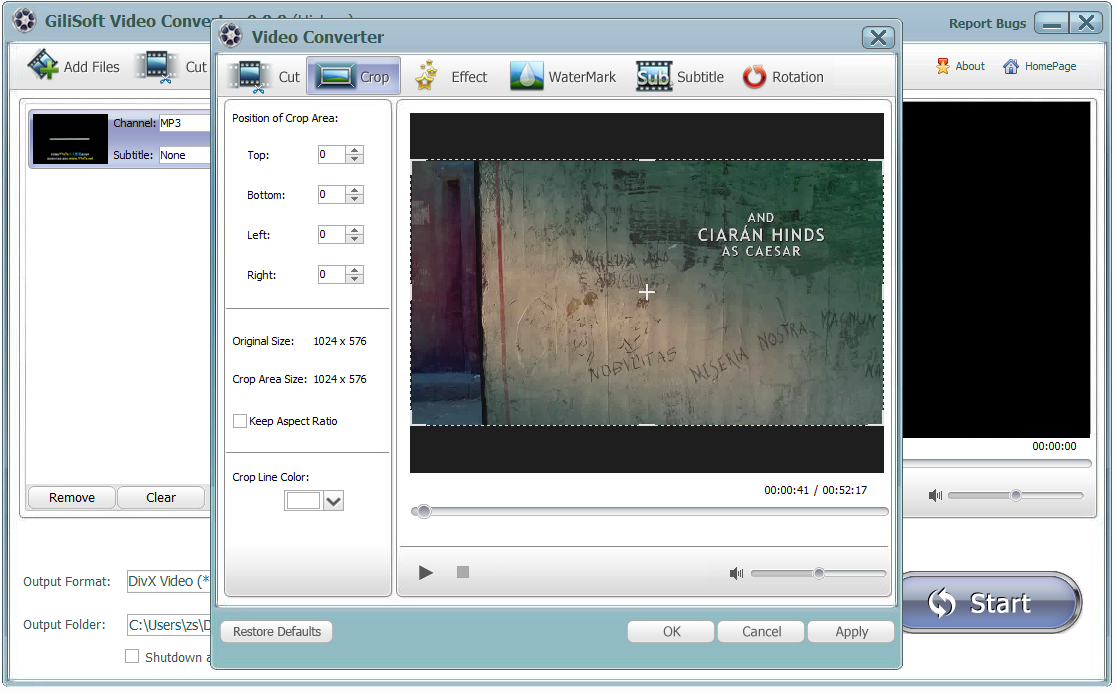
Crop Frame Size

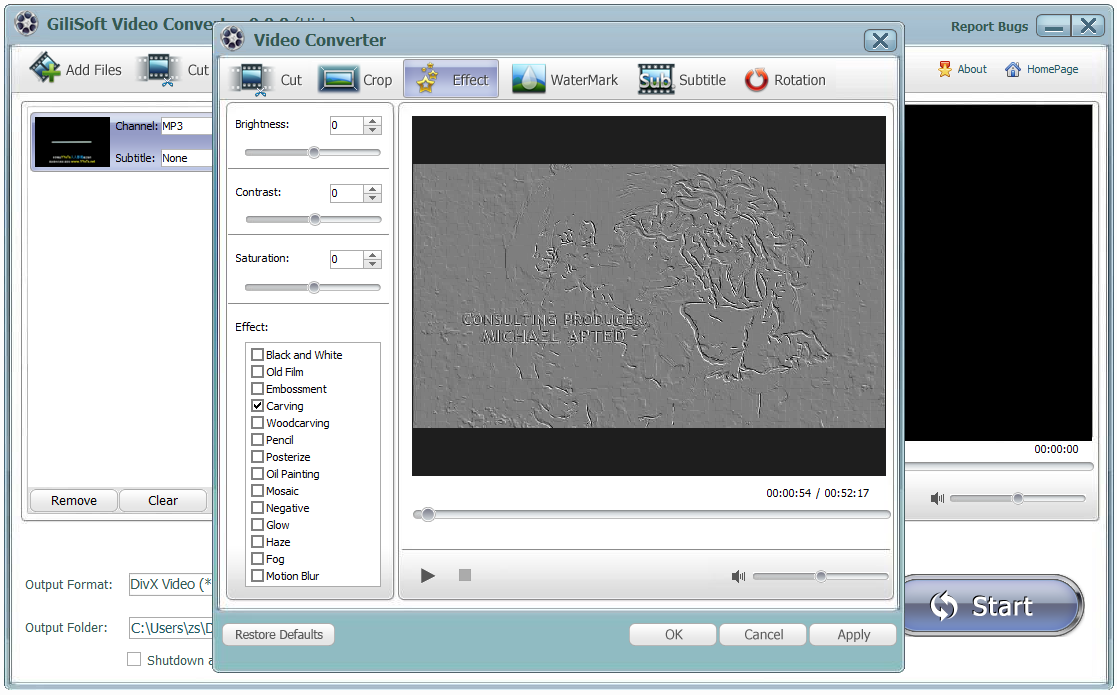
Add Special Effects

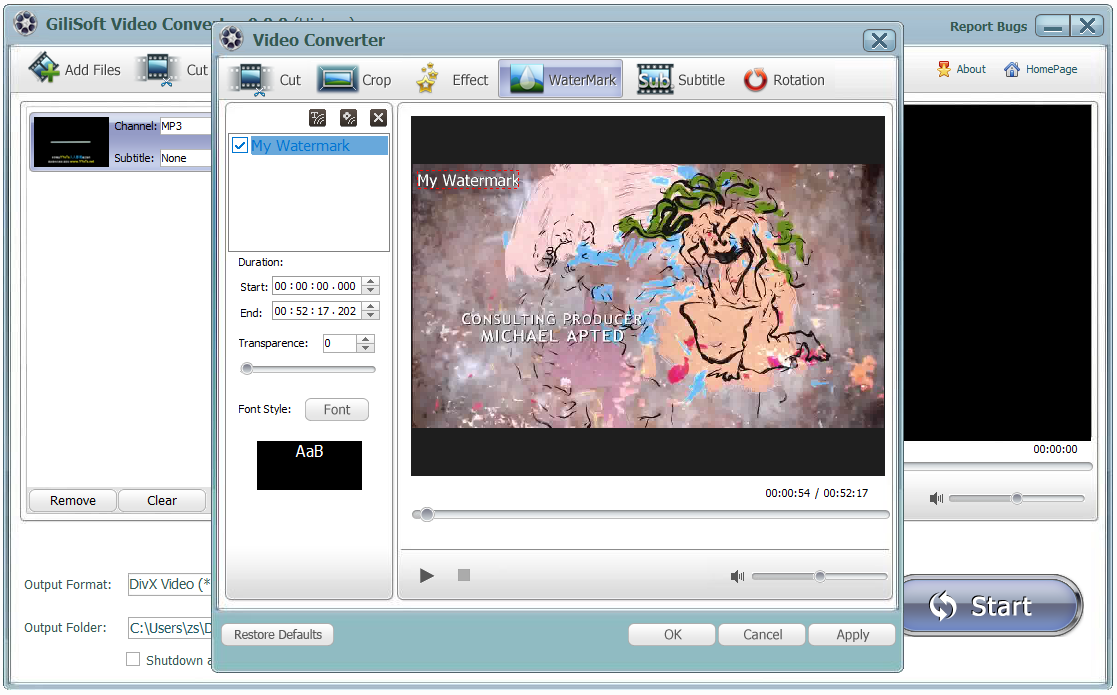
Add Watermarks

Add Subtitles

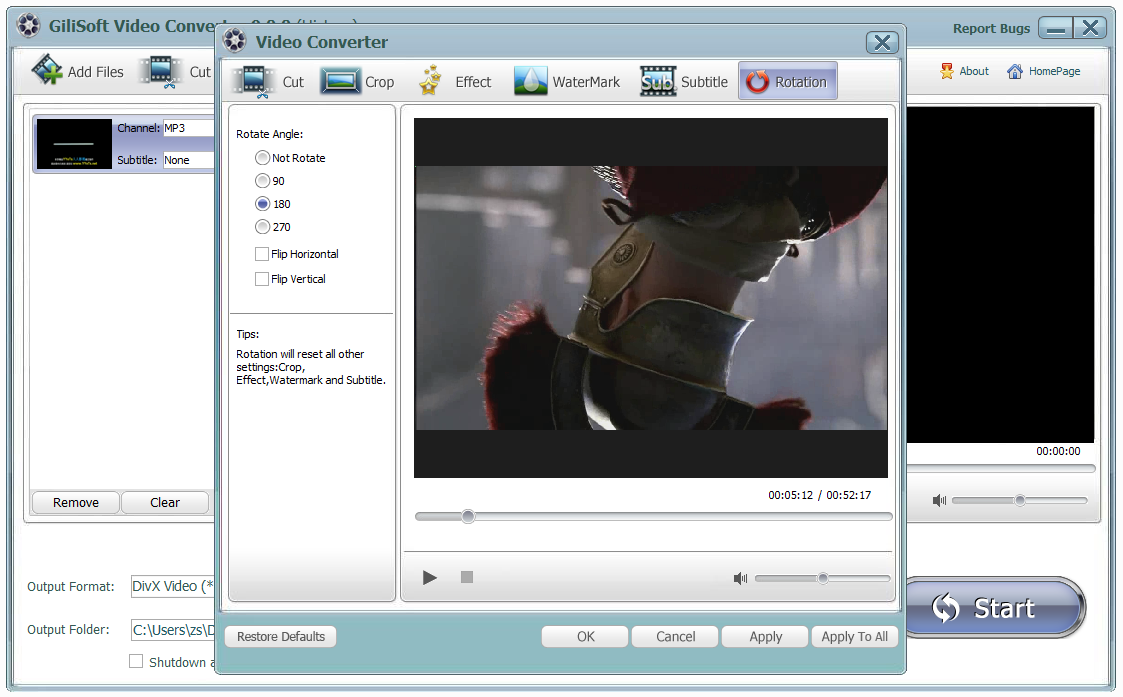
Rotate Video

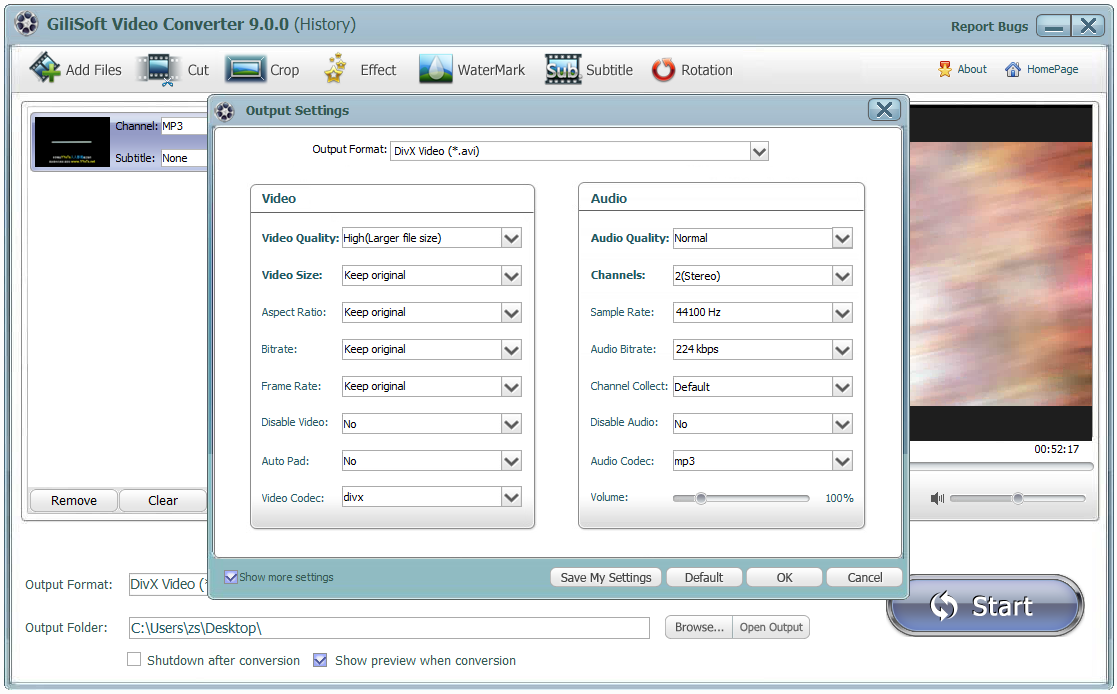
Gilisoft Video Converter's Screenshots

How tos

Media Review

  Editors highlighted strong format compatibility for conversion and distribution workflows.

    Coverage noted clear presets for web, mobile, and playback-device targets.

This Video Converter is the best and world's fastest converter for video and audio
conversion among popular formats like AVI, MPEG1/2, MP4, WMV, FLV, MOV, VCD/DVD,
XviD/Divx, 3GP and so on as well as audio formats including MP3, WMA, WAV, etc.

  Reviewers praised conversion stability on large files and long-duration media assets.
    Lab notes cited dependable queue behavior during multi-file batch processing.


GiliSoft Video Converter is a professional application designed to convert almost
all videos and audios to play them on PC, Portable media players, iPod and so on...
...

  Independent analysis described the converter toolset as practical for daily delivery tasks.
    Commentary emphasized speed, consistency, and low operator overhead.


The program is not that complicated to use and even if you're a newbie, you will need just a
few minutes to get familiar with how to convert one video format to another.

SPECIAL OFFER | MEGA SALE
#1 Multimedia Toolkit Suite
11 Video Tools in Ultimate Multimedia Bundle