
 How to Lock Thumb Drive with Password
USB flash drive, also knows as a pen drive or a thumb drive, is a portable storage device. If you have sensitive data stored on your USB flash drive you should consider password protecting the data or the device to prevent unauthorized access.
GiliSoft USB Stick Encryption is designed exclusively for USB data security issues including data breach, leaking and misuse of private files. SD card is an important member of USB storage family, to ensure SD card protection you'd better lock SD card and block any unauthorized access to data in it.
The following steps will tell us how to use GiliSoft USB Encryption to lock your thumb drive with password.
Insert the USB flash drive that you want to password protect into the USB port of your computer.
Choose the drive and set the size of secure area will be created. You can refer to the picture below:

Click "Install" button to start creating secure area.

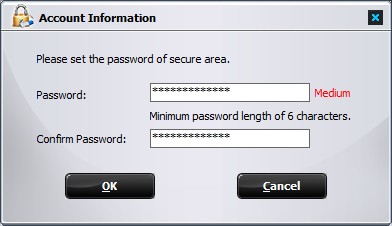
Set the user name and password of the secure area and click on the "OK" button to finish the operation.


Enter your email address to get our latest newsletter
 Password Protect data on USB flash drives.