PDF Text and Image Editing
Edit wording, dates, labels, images, and layout details directly in existing PDF files when a document needs correction before review, print, or delivery.

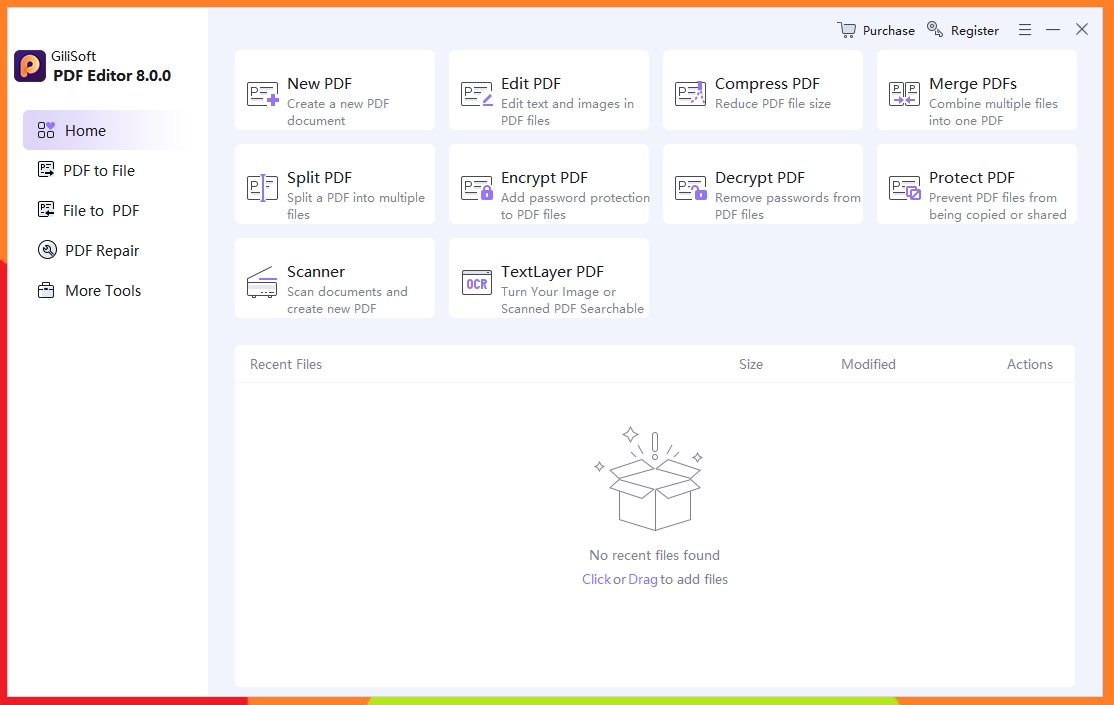
Correct PDF text and images, run OCR on scanned files, merge and split documents, compress large PDFs, convert files for office reuse, and prepare protected PDFs for safer sharing.
GiliSoft PDF Editor is built for users who need more than simple PDF viewing. It helps edit PDF text and images, run OCR for scanned files, convert PDF content into reusable office formats, merge and split documents, compress large files, and apply protection when documents need controlled sharing.
The software fits office, legal, finance, proposal, reporting, and document-preparation tasks where PDF files need corrections, restructuring, format conversion, page organization, or safer delivery. Instead of moving between several smaller tools, users can keep common PDF editing, OCR, and document-processing tasks inside one Windows desktop product.

Edit wording, dates, labels, images, and layout details directly in existing PDF files when a document needs correction before review, print, or delivery.
Use OCR to make scanned contracts, invoices, forms, and image-based PDF files searchable and easier to reuse in daily document work.
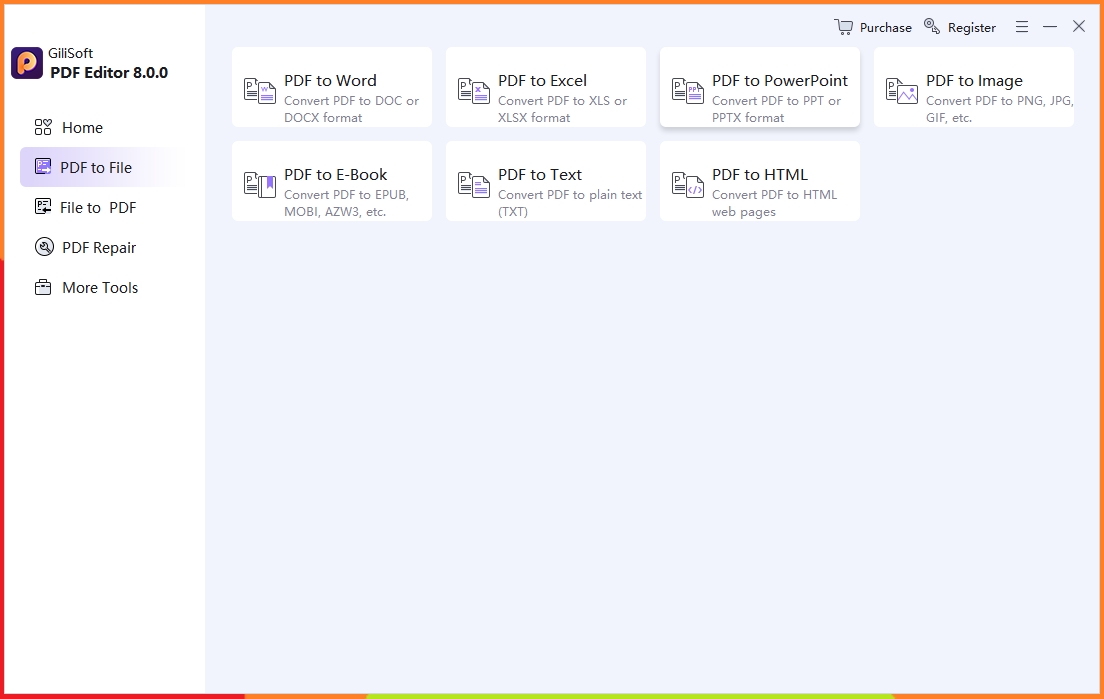
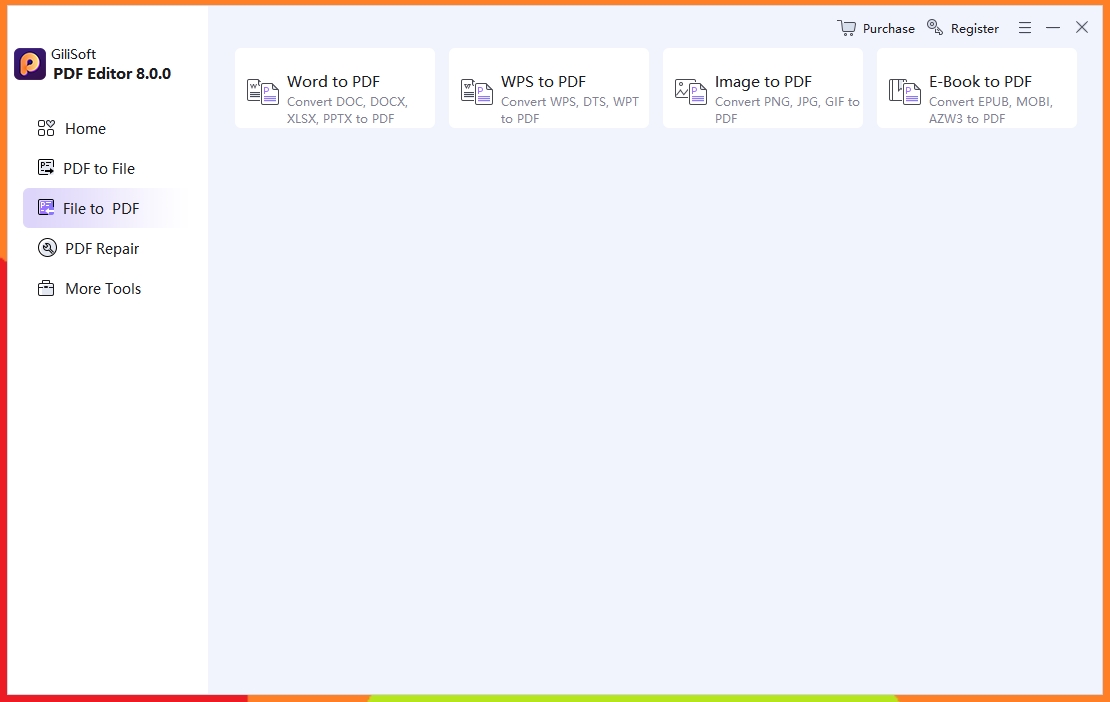
Export PDF content to Word, Excel, PowerPoint, images, text, HTML, and eBook formats when documents need editing, reporting, or reuse outside PDF.
Combine several PDFs into one packet, split long files into smaller sections, and reduce file size for email, upload, archiving, and client delivery.
Apply password protection, encryption, and controlled sharing preparation when PDF files contain contracts, financial data, policies, or client information.
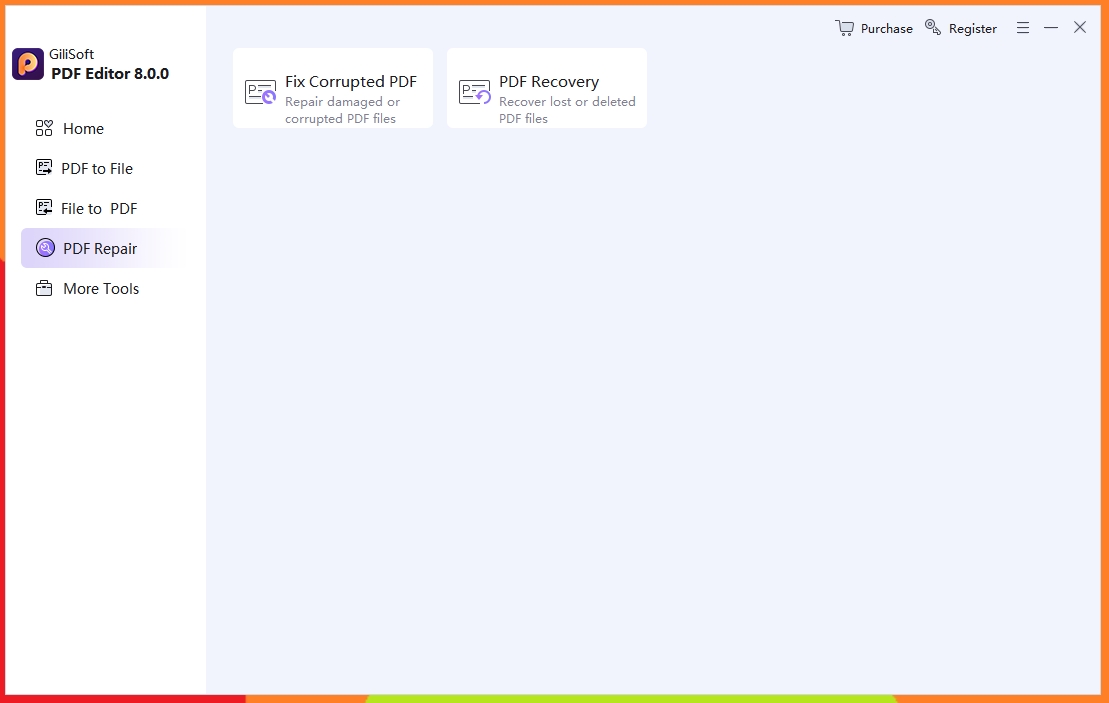
Repair damaged PDF files and recover important PDF documents where possible before editing, exporting, or rebuilding the file from other sources.
Complete and revise forms faster with a cleaner process for recurring office and compliance tasks.
Prepare documents for controlled sharing with practical protection and export-ready delivery options.

We edit contracts and policy PDFs directly without recreating files, which saved our team a lot of document rework.
OCR works well for scanned invoices, and searchable output makes audit preparation much faster.
Merge and split tools are reliable for monthly reporting packs, especially when different teams submit separate PDFs.
Text and image editing features are practical for fast corrections before client delivery.
Password protection and controlled sharing options helped us standardize secure external distribution.
PDF repair rescued corrupted archives more than once, which prevented delays in our internal review cycle.

Use PDF Editor when reports, proposals, forms, contracts, and internal documents need direct PDF corrections instead of being rebuilt from scratch in another format. Related tasks include filling PDF forms, annotating PDF documents, redacting PDFs, and signing PDF documents.
OCR is useful when paper scans, archived images, or image-based PDF files need searchable text before revision, export, or document reuse. For scanned files, see organize scanned PDF pages, convert PDF to text, and OCR software for Windows.
Merge, split, compress, and batch document tasks are practical when teams handle monthly reporting packs, client deliverables, or multi-file PDF collections. Common page tasks include rearranging PDF pages, extracting pages, deleting pages, and removing blank pages.
Encryption, password control, and safer export options matter when PDF files need controlled sharing outside the company or across departments. Useful preparation steps include flattening PDFs before sharing, preparing PDFs for client review, and preparing PDFs for printing.
It covers common PDF jobs in one Windows product: edit text and images, recognize scanned content, convert files, merge pages, split long documents, and compress large PDFs.
Use it when PDF files need real changes instead of comments only. It is built for document correction, review preparation, client delivery, and reusable office output such as PDF to Word or Excel conversion.
OCR support helps turn image-based contracts, invoices, reports, and archived scans into searchable documents that are easier to revise, copy, export, and store.
When a file is ready to send, PDF encryption and password protection options help prepare sensitive contracts, financial files, policies, and client documents for safer delivery.
Use this process when the job is correcting wording, updating dates, revising numbers, or adjusting layout details directly inside an existing PDF. Start with prepare PDF files for editing when the source document needs cleanup first.
OCR is a practical fit when scanned contracts, invoices, forms, and image-based archives need searchable text before editing or document export.
Use PDF Editor when several PDFs must be combined, long documents need splitting, or file sizes have to be reduced before upload or email delivery. See split large PDF files, compress PDF for email, and merge PDF files for reporting.
Use related tools like PDF to Word Converter, PDF to Excel Converter, and PDF to Image Converter when the document needs reuse outside PDF format. You can also combine PDF and images into one file for review packs.
Use PDF security and protection tools when the final file needs password control, encryption, or more controlled external delivery. Related pages: PDF DOC Encryption and PDF DRM Protection.
When document access is blocked by corruption or file damage, repair-oriented tools can help bring the PDF back into a usable state before editing or export. See also repair or recover damaged PDF files.

Editors highlighted direct text and image editing, OCR for scanned files, and reliable PDF conversion quality.
Coverage noted useful document cleanup and secure sharing tools for everyday office PDF tasks.

Reviewers praised stable results on large PDFs and mixed-format input sources during repeated editing and export operations.
Annotation, form revision, and layout correction features were noted as practical for proposal reviews and approval cycles.

Independent notes described the suite as dependable for PDF editing, conversion, OCR, and routine document preparation.
Repair and recovery support was also mentioned for damaged files in real office environments.


Enter your email address to get our latest newsletter
PDF Editing Software
PDF Converter
PDF to Word Converter
PDF to Excel Converter
PDF to Image Converter
PDF Encryption
PDF DRM Protection
Convert PDF to Word and Excel
Merge Split and Compress PDF
Edit Scanned PDF on Windows
Fill Out PDF Forms on Windows
Annotate PDF Documents on Windows
Redact PDF Documents on Windows
Sign PDF Documents on Windows
Compress PDF for Email
Convert Scanned PDF to Word
Rearrange PDF Pages on Windows
Extract Pages from PDF on Windows
Combine PDF and Images into One File
Flatten PDF Before Sharing
Split Large PDF Files on Windows
Merge PDF Files for Reporting
Prepare PDF for Printing
Organize Scanned PDF Pages
Convert PDF to Text for Editing
Delete PDF Pages on Windows
Remove Blank Pages from PDF
Rotate PDF Pages on Windows
Prepare PDF for Client Review
Build Monthly Report PDF Packet
Prepare PDF Files for Editing
Recover PDF Files
OCR Software for Windows